Wordscapes Word Blast
PeopleFunWord
4.8379.00 Reviews
- Version
- 1.1.30
- Installs
- 100.00K
- Age Rating
- Everyone
Screenshots
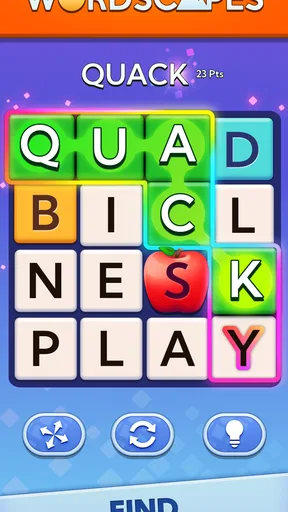
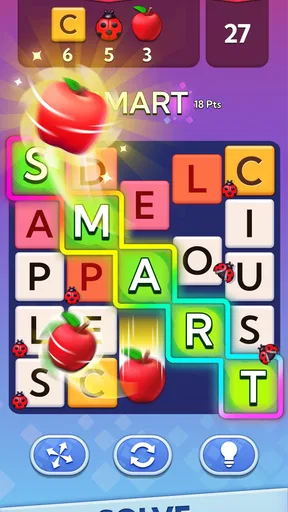
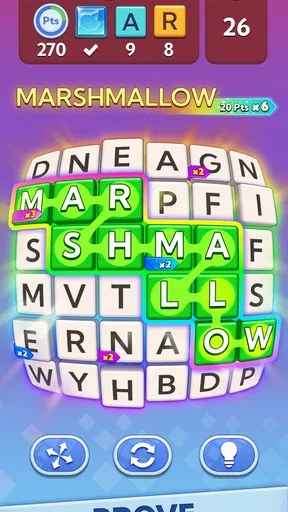
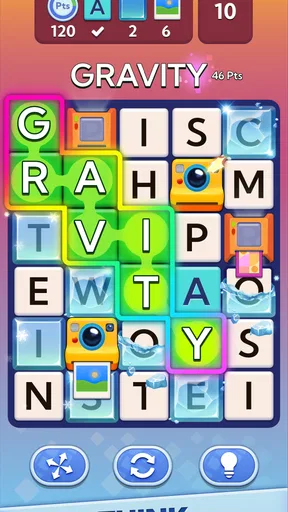
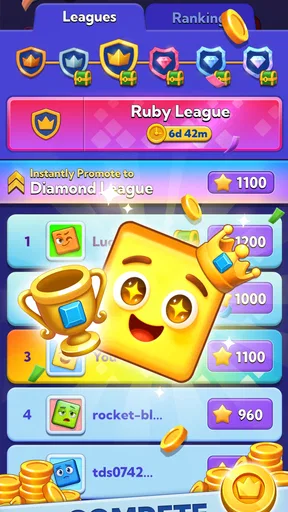
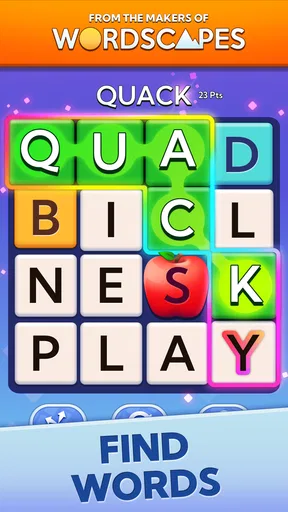
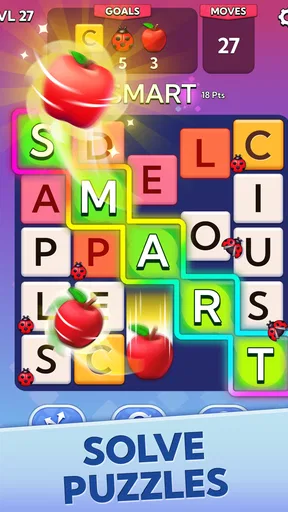
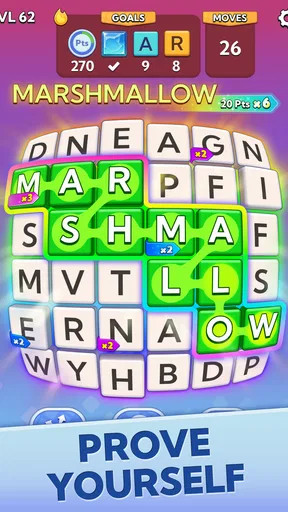
Our Review of Wordscapes Word Blast
 Analysis by Appyee
I approached Wordscapes Word Blast expecting a quick word game I could open for a few minutes, play without much preparation, and put down just as easily. That expectation is mostly right. Developed by PeopleFun, this free word game takes the familiar Wordscapes name into a more immediate format, where the main appeal is choosing words quickly and keeping your attention moving. It is aimed at everyone rather than a narrow age group, and the basic idea is easy to understand even if you have never played a word puzzle from this developer before.
What makes it worth considering is not simply that it uses letters. There are countless word games that do that. The useful distinction here is the pace: this feels better suited to a short break than to a long, quiet puzzle session. I found myself treating it as a small mental reset while waiting for an appointment or taking a break from a larger task. The downside is that a faster rhythm can make a missed word feel more frustrating than it would in a slower crossword-style game.
The game is free to install, with optional purchases ranging from $1.99 to $99.99 per item. That makes the first decision straightforward: you can try the core experience without paying, but you should be comfortable with the possibility of purchase prompts before committing to it as a regular habit. Its current version is 1.1.30, and it requires Android 7.0 or later. On the store, it has a 4.8 average from around 4.6 thousand ratings, with over 100 thousand installs, so it has already attracted a meaningful early audience.
Where the experience can become confusing
The first place I would expect some players to hesitate is the relationship between this game and the better-known Wordscapes experience. The name suggests a close connection, and the developer is the same, but a player should not automatically assume that every familiar part of the original game will appear in exactly the same way here. I approached it as its own word-game session rather than as a simple replacement for another title, and that made the experience easier to judge.
That distinction matters because people come to word games with different expectations. If you want a calm board that rewards slow planning, a traditional crossword app may suit you better. If you want a word ladder with a clear educational progression, another specialist game may be more appropriate. This title makes more sense for someone who enjoys recognizing possible words under a quicker flow and who does not mind that the challenge can feel more reactive than methodical.
A second sticking point is the difficulty of knowing whether a missed answer was genuinely unavailable or simply overlooked. Word games often create that feeling because the player sees a group of letters and mentally locks onto the most obvious combinations. My practical advice is to pause briefly before spending any help or making a purchase. Look for short connecting words, common endings, and less dramatic possibilities. The word that saves a round is often not the impressive one; it is the ordinary word you skipped because you were searching for something more unusual.
This is also where the game can expose a difference between vocabulary and speed. Someone may know many words and still struggle when the screen encourages quick decisions. Conversely, a player with a smaller vocabulary may do well by spotting familiar patterns efficiently. I would not use a difficult session as a judgment of your language ability. It is better understood as a test of recognition, attention, and patience at the same time.
Another source of friction is the instinct to play while distracted. I tried to imagine using it while answering messages or listening to a conversation, and that is exactly the situation in which the game is least forgiving. A short word game may look ideal for multitasking, but the moment you divide your attention, you can miss simple combinations and then blame the puzzle. For the best results, give it a few uninterrupted minutes instead of treating every round as background entertainment.
What to check before blaming the game
Before judging the gameplay, I would start with the simple setup checks. Confirm that the device meets the Android requirement of version 7.0 or newer, then make sure the game has finished installing and is running as the current version shown in the store. If the app behaves oddly immediately after installation, closing it completely and opening it again is a sensible first step. That sounds basic, but it separates a one-time startup hiccup from a problem that appears during normal play.
I would also check whether the device is under unusual strain. Low available storage, many demanding apps open at once, or an operating system that has been waiting for a restart can make any game feel less responsive. These checks do not change the word puzzles themselves, but they can affect how confidently you interact with them. A delayed touch can look like a missed input, while a screen that has not refreshed properly can make the player think an answer was rejected.
Network conditions are another practical consideration whenever a game is being opened, updated, or connected to store services. If the initial launch seems stuck, switch between a stable Wi-Fi connection and mobile data if both are available, then try again. I would avoid repeatedly tapping the same control while waiting, because that can create a second problem: several inputs may register together once the screen catches up.
Purchase-related trouble deserves a separate check. The game costs nothing to install, but optional items can cost from $1.99 to $99.99 each. If a payment screen appears, read it carefully before confirming, especially if you are handing the device to a child. The Everyone age rating makes it broadly accessible, but an age label does not remove the need for sensible purchase controls on the device. I would also keep the store account secure and avoid treating a purchase as the automatic solution to a difficult round.
One useful habit is to decide in advance what kind of session you want. If you are testing the game, play several short rounds without buying anything so you can tell whether the basic pace suits you. If you already know you enjoy this style, consider whether optional purchases solve a real annoyance or merely remove a moment of challenge. That small pause protects the practical value of a free game: you remain in control of how much it costs to keep playing.
Recovering a session without making the problem worse
When a round does not seem to respond correctly, I would recover in stages rather than immediately deleting the app. First, stop tapping and wait a moment. Then leave the game normally if the interface allows it, reopen it, and test whether the same behavior returns. If the problem appears only once, it may have been a temporary delay. If it repeats, restart the device and check the connection again before taking more drastic steps.
The order matters because reinstalling can create unnecessary risk for any app that stores progress or relies on account-related services. I would not erase local app information as a casual experiment. That kind of reset can remove settings or progress, and it does not explain why the problem happened. A careful player should try the least disruptive fixes first and note what changed after each one.
The same approach helps with a frozen screen. Close other apps, restart the device, and open the game by itself. If the device is warm or generally sluggish, give it a short break rather than repeatedly forcing the game to respond. A word game does not need to become a technical project. The goal is to identify whether the issue is a temporary device condition, a connection problem, or a repeatable fault inside the game.
For players who use more than one device, I would be especially careful about assuming that progress will automatically appear everywhere. Do not start a second installation and immediately treat a different starting point as proof that something has been lost. First check that you are using the same store account and that the game has had time to complete any normal startup process. If progress still looks wrong, stop experimenting and seek help through the relevant app-store or developer support route rather than repeatedly reinstalling.
There is also a gameplay recovery technique that costs nothing: reset your attention. If you have been staring at the same letters, stop for ten seconds, look away, and return with a different search order. I like starting with the shortest obvious words, then testing common prefixes and endings, and only afterward searching for longer combinations. This prevents one attractive word from dominating the entire round. It is a small workflow change, but it is more useful than randomly tapping because it gives each letter a job.
Another practical tip is to separate a vocabulary problem from an interface problem. If the game accepts your touch but the answer is not what you expected, that is probably a puzzle decision rather than a malfunction. If the touch itself is not registering across several attempts, test another part of the screen or another app on the device. That comparison can tell you whether to keep thinking about words or start checking the phone.
When the app is not the cause
Some complaints that sound like game problems are really mismatches between the app and the player’s preferred environment. A person playing on a small screen with reduced brightness may find letter recognition tiring, while someone using a larger display may have no issue. If your eyes feel strained, adjust the device rather than forcing a longer session. A quick word game should not require you to ignore physical discomfort.
Attention is another hidden variable. Playing late at night, during a noisy commute, or while switching between several conversations can make the game feel unfair. In those conditions, a slower word puzzle may be the better choice. I would recommend this title to people who enjoy a compact challenge, but not to someone who wants a completely relaxed experience with no pressure to react or reconsider quickly.
It is also not the best fit for every kind of language practice. The game can encourage word recognition and flexible thinking, but I would not treat it as a structured vocabulary course. If your goal is to learn a new language systematically, you will get more from an app designed around definitions, pronunciation, review schedules, and deliberate lessons. Here, the motivation comes from solving the next word, not from building a carefully measured study plan.
Compared with a standard crossword, this game is easier to enter but may offer less room for deep clue interpretation. Compared with a word search, it asks for more active construction rather than simply scanning a grid. Compared with a highly competitive word battle, it is a more personal experience because the focus is on your own recognition and rhythm. Those trade-offs are important: the title is attractive precisely because it sits between a casual pastime and a more demanding word challenge.
I would also skip it if you strongly dislike optional purchase prompts or if you prefer games with one clearly defined payment and no further decisions. The free entry is convenient, but the presence of items priced as high as $99.99 means families should configure purchase protections before sharing the device. The Everyone rating tells you the content is broadly suitable, not that every spending situation will be effortless.
How it fits into an ordinary day
Imagine waiting for a friend who is running late. You have enough time for a short activity but do not want to begin a story-driven game that demands commitment. This is where I see the strongest use case. Open a round, work through the letters with a deliberate scan, and stop when the appointment begins. The session has a natural boundary, and you do not need to remember a complicated plot or manage a large collection of systems.
It can also work as a transition between tasks. After finishing a long email or household chore, a few minutes of word play gives your mind something focused but different to do. I would keep the sound and notifications of the surrounding device in mind, though, because a distracting environment can undermine the very concentration that makes the game enjoyable.
For families, the Everyone rating makes the game approachable across a wide age range, but I would still play alongside younger users at first. That is not because the word concept is difficult; it is because the child may interpret a purchase prompt differently from an adult. A shared session can turn the game into a vocabulary conversation, while a quick settings and account check keeps the free-to-try nature from becoming an accidental expense.
For older players, the simple entry point may be a strength. There is no need to learn a large control scheme before getting started. However, anyone with touch sensitivity or visual difficulties should test the interface comfortably and avoid assuming that a familiar word game will suit every device equally well. The best experience depends as much on readable interaction as on the puzzle itself.
My practical verdict after using it
Wordscapes Word Blast is a good choice when you want a free, accessible word game that fits into short sessions and rewards quick recognition. PeopleFun has positioned it for a broad audience, and the Everyone rating supports that approachable character. I like the way it can turn a few idle minutes into a focused activity without requiring a long setup. Its strongest quality is convenience: the concept is familiar enough to understand quickly, but active enough to keep a brief session from feeling empty.
The limitations are just as clear. A faster pace will not please players who want to examine every clue slowly. It is not a replacement for a language-learning course, a traditional crossword, or a competitive word arena. Optional purchases also mean that free installation should not be confused with a completely purchase-free environment. I would try the basic game first, decide whether the rhythm feels enjoyable, and only then consider whether any paid item is genuinely useful.
If you run into trouble, begin with the Android version check, a restart, a stable connection, and a less crowded device environment. Avoid deleting data or reinstalling repeatedly until you have ruled out simpler causes. If the game is responding normally but you are stuck, change your word-search process instead: start small, test common endings, and take a short attention break. Those steps address the most likely sources of frustration without turning an ordinary puzzle into a technical ordeal.
My recommendation is therefore specific rather than universal. Choose it if you enjoy short bursts of word solving, like the Wordscapes family of games, and are happy to manage optional purchases carefully. Look elsewhere if you need structured vocabulary teaching, a slow crossword pace, or a single upfront-cost experience. For the right player, it is an easy game to keep nearby for waiting rooms, short breaks, and quiet moments when I want my mind occupied without taking on a larger commitment.
Verdict
Strengths of Wordscapes Word Blast
- Simple controls make it easy to start playing immediately.
- Short rounds are ideal for quick breaks or casual sessions.
- Word variety helps keep the puzzles from feeling repetitive.
- Offline play is useful when traveling or without a stable connection.
- Progress tracking encourages regular play and personal improvement.
Limitations of Wordscapes Word Blast
- Some puzzles may feel too easy for experienced word-game players.
- Later levels can become repetitive without major gameplay changes.
- Hints may reduce the challenge when used too frequently.
- The game may take up considerable storage after extended use.
- Players seeking competitive multiplayer may find the experience limited.
Other Releases by PeopleFun
View All


Similar Picks in This Category
View All
Word Search - Word Puzzle Game
Bluetile4.8

Word Search Quest - Puzzles
Blackout Lab4.8

CodyCross: Crossword Puzzles
Fanatee, Inc.4.7

Words of Wonders: Crossword
Fugo Games4.9

Wordscapes: Word puzzle game
PeopleFun4.7

Word Search Explorer
PlaySimple Games4.9
Frequently Asked Questions
What is Wordscapes Word Blast?
Wordscapes Word Blast is a word puzzle game centered on finding words from a limited set of letters. Instead of simply completing a crossword-style board, you solve timed or goal-based challenges by swiping across connected letters and discovering as many valid words as possible. It is designed for quick sessions, making it suitable for casual play while still testing vocabulary, spelling, and speed.
How do you play Wordscapes Word Blast?
Each round presents a group of letters that can be combined into different words. You generally swipe from one letter to another to form a word, then submit it to the puzzle. Some levels focus on finding specific answers, while others reward discovering additional words or completing the challenge before time runs out. Progress depends on both vocabulary knowledge and recognizing possible letter combinations.
Is Wordscapes Word Blast free to download and play?
Wordscapes Word Blast can typically be downloaded without an upfront purchase, allowing players to try the main gameplay at no cost. However, the free version may include advertising, optional purchases, or other in-app offers. These can provide hints, remove ads, or support faster progress. Before downloading, check the current Google Play or App Store listing for the latest pricing and purchase details.
Does Wordscapes Word Blast require an internet connection?
The game may allow some puzzle content to be played offline, which is convenient when traveling or when mobile data is unavailable. Nevertheless, an internet connection can be necessary for advertisements, in-app purchases, cloud features, events, updates, or synchronization. Offline availability can also vary by version and device, so it is best to launch the game once online before relying on it without a connection.
Is Wordscapes Word Blast suitable for children and beginners?
Wordscapes Word Blast is generally approachable for beginners because its controls are simple and the basic objective is easy to understand. It can also be useful for children who enjoy spelling and vocabulary games, although difficulty may increase as levels progress. Parents should review the game’s age rating, advertising, and in-app purchase settings, since these details can vary between Android and iOS versions.
Play our best games!


